AI Captions Explained: How They Work and How to Choose the Right Tool
Most creators know they need captions. Fewer know how to get them without spending hours typing, correcting, or bouncing between tools that handle one video at a time. If you've tried a few AI captioning tools and still aren't sure which one fits your workflow, that's not a you problem. Most product pages skip the part where they explain what the tool actually does, what makes it accurate, and which use cases it's built for.
This guide covers all three: what AI captions are, what actually affects their quality, and how to choose the right tool for your specific content type. No marketing spin, just the framework.
Key Takeaways
- AI captions automatically convert spoken audio into timed on-screen text. No manual typing required.
- Caption accuracy depends primarily on audio quality, speaker clarity, and vocabulary type, not just the tool's brand name.
- There are three main caption output types: burned-in, SRT/VTT files, and animated. Each fits different platforms and workflows.
- Captions serve multiple goals at once: silent-viewer retention, accessibility compliance, and search visibility.
- Choosing the right tool means matching it to your content volume, export format needs, and audio conditions, not its homepage headline.
What AI Captions Are and How They Work
AI captions are software-generated subtitles that automatically convert spoken audio in a video into timed text displayed on screen. The AI processes the audio track using speech-to-text technology, identifies words and timing, and outputs synchronized captions without any manual transcription.
Compared to typing captions by hand or importing a pre-written SRT file, AI captioning is fast. What used to take an hour of transcription can happen in seconds.
There are three main caption output types worth knowing at a basic level:
- Burned-in captions are permanently embedded into the video file. Viewers always see them, no toggle required. This is the standard for TikTok and Instagram Reels, where autoplay happens without sound.
- SRT or VTT files are separate text files that travel alongside the video. Platforms like YouTube let viewers enable or disable them. SRT stands for SubRip Text; VTT stands for WebVTT. Both are widely supported.
- Animated captions are a styled variation, often word-by-word or phrase-by-phrase, frequently used for short-form social content to hold viewer attention.
Caption timing and synchronization matter because mistimed captions pull viewers out of the experience and signal low production quality. A caption that appears two seconds after the word was spoken is a credibility problem, not just a formatting one.
For a deeper look at format differences and platform compatibility, see this guide on captioning methods, formats, and platforms.
What Actually Affects AI Caption Accuracy
Accuracy claims in AI captioning marketing are almost never independently verified. A tool advertising 99% accuracy is measuring that on studio-quality audio in ideal conditions. Your conditions may differ.
Here is what actually drives caption quality:
Audio quality is the single biggest factor. A creator recording in a quiet room with a cardioid microphone will consistently get cleaner captions than someone recording near traffic or with a lapel mic picking up clothing noise. The AI can only work with what it hears.
Accents, dialects, and multiple speakers cause the most common errors. Speaker diarization, the process of identifying and separating different voices, varies widely across tools. A one-on-one interview will challenge tools that aren't built for multi-speaker audio.
Technical vocabulary and proper nouns are frequent failure points. A tool that handles conversational speech accurately may stumble on industry jargon, brand names, or product terminology. This is especially relevant for educators, medical professionals, and B2B marketers.
Before you commit to any paid plan, run your actual audio through the free tier and read the first 30 seconds of output against what was said. Spot-check two or three moments with dense speech or technical terms. That 10-minute test will tell you more than any accuracy benchmark.
For a deeper look at how to evaluate caption accuracy methodically, this post on AI captions accuracy and tool evaluation covers testing methodology in more detail.
Before You Record: Audio Conditions That Improve AI Caption Accuracy
- Record in a quiet space with minimal background noise and echo
- Use a close-mic setup (cardioid or lapel) rather than a built-in laptop or camera mic
- Speak at a steady pace, especially when using technical terms or product names
- Limit crosstalk when recording with multiple speakers; allow pauses between speakers
- Avoid recording near HVAC systems, open windows, or high-traffic areas
- Test your usual recording conditions through any tool's free tier before purchasing
Why AI Captions Matter Beyond Social Engagement
Caption value goes further than social media reach. Here is the full picture:
- Silent autoplay means most social feeds play video without sound by default. Captions are the difference between a viewer staying or scrolling past.
- Accessibility compliance matters for organizations publishing video professionally. WCAG 2.1 Level AA sets the standard for captions on pre-recorded content.
- Audience reach expands when captions are present. Deaf, hard-of-hearing, and non-native language viewers who skip uncaptioned content can engage when captions are included.
- Search visibility on platforms like YouTube improves because caption text is indexable. Platforms can surface your content more accurately when they can read what was said.
Research consistently shows that captions improve retention and completion rates on social video. A review of studies on captions and viewer engagement from 3Play Media documents this across multiple platforms and audience types.
Creators and organizations who treat captions as an afterthought are leaving reach, compliance, and search visibility on the table. Captions stopped being optional when silent autoplay became the default.
How to Choose the Right AI Captions Tool for Your Content
The right tool is the one that matches your content volume, your audio conditions, your export workflow, and your platform requirements. Here are the criteria that actually matter:
Accuracy requires testing, not trusting. Run your audio through any tool's free tier before paying. Accuracy varies significantly by audio quality and language. A solo TikTok creator recording in a quiet home studio has different accuracy outcomes than a marketing team recording in a conference room with multiple speakers.
Language support quality matters more than language count. A tool supporting 100 languages poorly serves multilingual creators worse than one supporting 20 languages with strong per-language accuracy. Ask how the tool performs in your specific language, not how many it lists.
Export format compatibility determines where you can actually use the captions. Burned-in, SRT, VTT, and animated outputs each fit different platform workflows. Confirm what the tool exports before you build a workflow around it.
Free tier limits are real constraints. Evaluate what the free plan actually covers, including minutes per month, watermarks, and platform connections, before assuming it fits your volume. A free plan that covers two short videos per week is not a solution for a creator posting daily.
Volume capability is a different problem than one-video accuracy. A solo creator posting one video per day has different captioning needs than a marketing team producing 50 short-form clips per week across seven platforms. Single-video-at-a-time tools compound into a serious bottleneck at scale. Tools built for bulk output solve a fundamentally different problem. GotReach, for example, produces up to 300 videos in 30 minutes from a single source idea, compared to the 5 to 10 minutes per clip that single-video tools require.
Error correction ease is as important as initial accuracy. A tool with 95% accuracy and a difficult correction interface may cost more total time than one with 92% accuracy and a fast, intuitive editor. Before choosing, look at how corrections are made. For a closer look at efficient caption editing after generation, this guide on reviewing and correcting AI caption errors covers the workflow step by step.
To review what GotReach's plans include and how they compare for different content volumes, see GotReach's pricing options.
Use Case vs. Evaluation Criteria: What to Prioritize
| Use Case | Accuracy Priority | Speed Priority | Export Format (SRT/VTT) | Volume / Bulk Output | Accessibility / Compliance Need |
|---|---|---|---|---|---|
| Short-form social creator | High | High | Low | Medium | Low |
| Podcaster / long-form publisher | High | Medium | High | Low | Medium |
| Educator / e-learning creator | High | Medium | High | Medium | High |
| Marketer / brand team | High | High | Medium | High | Medium |
| Accessibility-focused publisher | High | Low | High | Medium | High |
AI Captions Tool Evaluation Checklist
Save this before you start comparing tools.
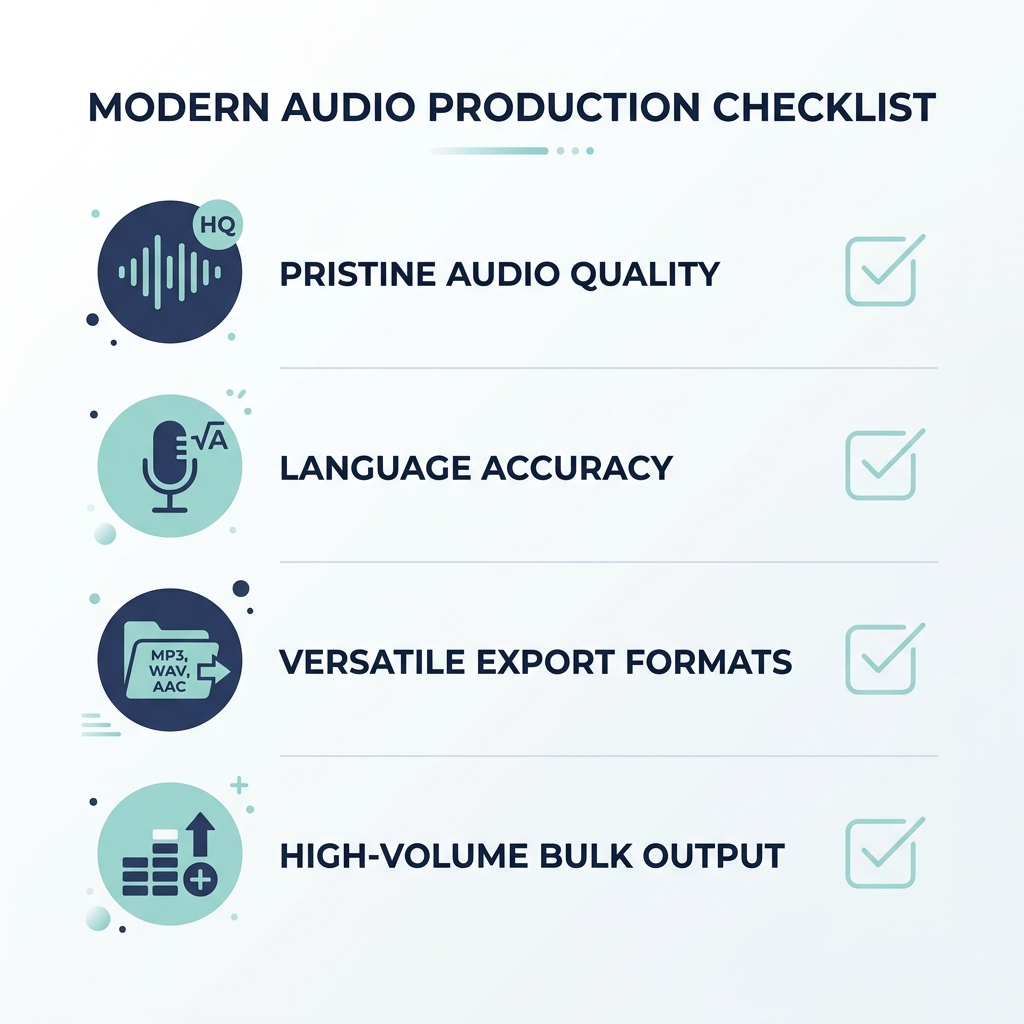
- Transcription accuracy -- test with your actual audio, not a demo clip, before committing to a paid plan
- Language support quality -- confirm accuracy in your specific language, not just whether the language appears on the supported list
- Caption output formats -- verify whether the tool exports SRT, VTT, burned-in, animated, or a combination of these
- Error correction ease -- assess how quickly and intuitively you can fix mistakes inside the editor after generation
- Pricing and free tier limits -- confirm what the free plan actually covers: minutes per month, watermarks, and platform connections
- Platform publishing integrations -- check which platforms the tool publishes to directly and whether that matches your distribution workflow
- Volume capability -- determine whether the tool handles bulk output or processes one video at a time, and whether that matches your content pace
- Accessibility support -- check whether caption formatting meets WCAG 2.1 Level AA requirements if compliance matters for your organization
If you're producing multiple videos per week and spending 5 to 10 minutes captioning each one manually, the bottleneck isn't your content. It's the tool. GotReach automates editing and publishing across seven platforms from a single workflow. Start your 30-day free trial and see how many videos you can produce in the time you used to spend on one.
Common Questions About AI Captions
How accurate are AI-generated captions?
Accuracy varies significantly depending on audio quality, speaker clarity, accent, and vocabulary type. Tools often advertise high accuracy rates, but those figures are measured under ideal recording conditions. The most reliable way to evaluate accuracy is to run your own audio through the tool's free tier before committing to a plan. Clear, close-mic audio in quiet conditions will consistently produce better output than noisy or distant recordings.
What is the difference between captions and subtitles in AI tools?
Captions are designed for viewers who cannot hear the audio, so they include spoken dialogue plus relevant non-speech sounds like music cues or sound effects. Subtitles assume the viewer can hear and are typically used for language translation only. In practice, many AI tools use the terms interchangeably, but the distinction matters for accessibility compliance. If your goal is ADA or WCAG alignment, look for tools that generate captions in the accessibility sense, not translation-only subtitles.
Do AI captions work for languages other than English?
Many AI captioning tools support multiple languages, but language count is not the same as language quality. Transcription accuracy in non-English languages varies widely across tools and depends on accent, dialect, and speaker conditions. If you caption in a language other than English, test the tool specifically in that language with your actual recordings before purchasing. A tool that lists 80 supported languages may still underperform in the ones you need most.
Can I export AI captions as an SRT or VTT file?
SRT (SubRip Text) and VTT (WebVTT) are the two most common caption file formats for platform upload. SRT files are widely supported by YouTube, LinkedIn, and most video hosting platforms. VTT files are common for web-based video players. Not all AI captioning tools export both. If your workflow requires uploading captions separately to a hosting platform or CMS, confirm that the tool exports the format that platform accepts before you commit.
Are AI caption tools free to use or do they require a paid plan?
Most AI captioning tools offer a free tier with meaningful limitations, typically a cap on minutes per month, watermarks on exports, or restrictions on the number of connected social accounts. Free tiers work for low-volume testing but rarely cover consistent daily or weekly publishing needs. GotReach's free plan includes up to 30 videos per month with one connected social account and no watermarks, which makes it functional for creators starting out. For higher-volume production, a paid plan is generally required across most tools.
Do AI captions help with accessibility compliance?
Captions are a core requirement under WCAG 2.1 Level AA for pre-recorded video content, and they are relevant to ADA compliance for organizations publishing video professionally. AI-generated captions can support accessibility goals, but automatic captions alone do not guarantee compliance. WCAG standards require accurate synchronization, correct speaker identification in multi-speaker content, and accurate transcription. Reviewing and correcting AI-generated output before publishing is the step that closes the gap between generated captions and compliant captions.
Start Captioning at the Speed Your Content Demands
AI captions are not complicated once you know what affects their quality and what to look for in a tool. The creators and teams who get the most out of captioning automation are the ones who tested before they committed, matched the tool to their actual workflow, and stopped treating captions as a manual step at the end of production.
If your content volume has outgrown what a one-video-at-a-time tool can handle, GotReach is built for that problem specifically. One workflow. Seven platforms. Up to 300 videos in 30 minutes. Your voice, not an AI avatar.
Try GotReach free for 30 days and find out how much time you get back when captioning isn't the bottleneck anymore.
Not ready to start a trial yet? See how GotReach helps businesses and creators publish more and find the plan that fits your output.