GotReach does not currently clip long-form videos. This article discusses the broader clipping category. For GotReach, use the planned short-form recording workflow, then add captions and schedule the finished videos.
Clipping AI Tools: How They Actually Work and How to Choose the Right One
You have probably seen the same five promises on five different product pages. Viral-ready clips in 30 seconds. 99.99% accuracy. AI that just knows which moments will perform. No editing required.
None of those pages explain how the AI actually decides what to clip. None of them tell you where the technology breaks down. And none of them help you figure out which tool fits your content type, your workflow, or your publishing volume.
That is the problem this guide is here to fix. You will get a plain-language explanation of how AI clipping technology actually works, a clear set of criteria to evaluate any tool, and an honest look at where these tools fall short before you commit to one.
Key Takeaways
- AI clipping tools select moments using transcript analysis, energy signals, or multimodal detection. The method matters significantly for non-dialogue content like gaming or sports.
- Most tools make identical marketing claims. Evaluating them requires specific criteria, not viral scores or homepage copy.
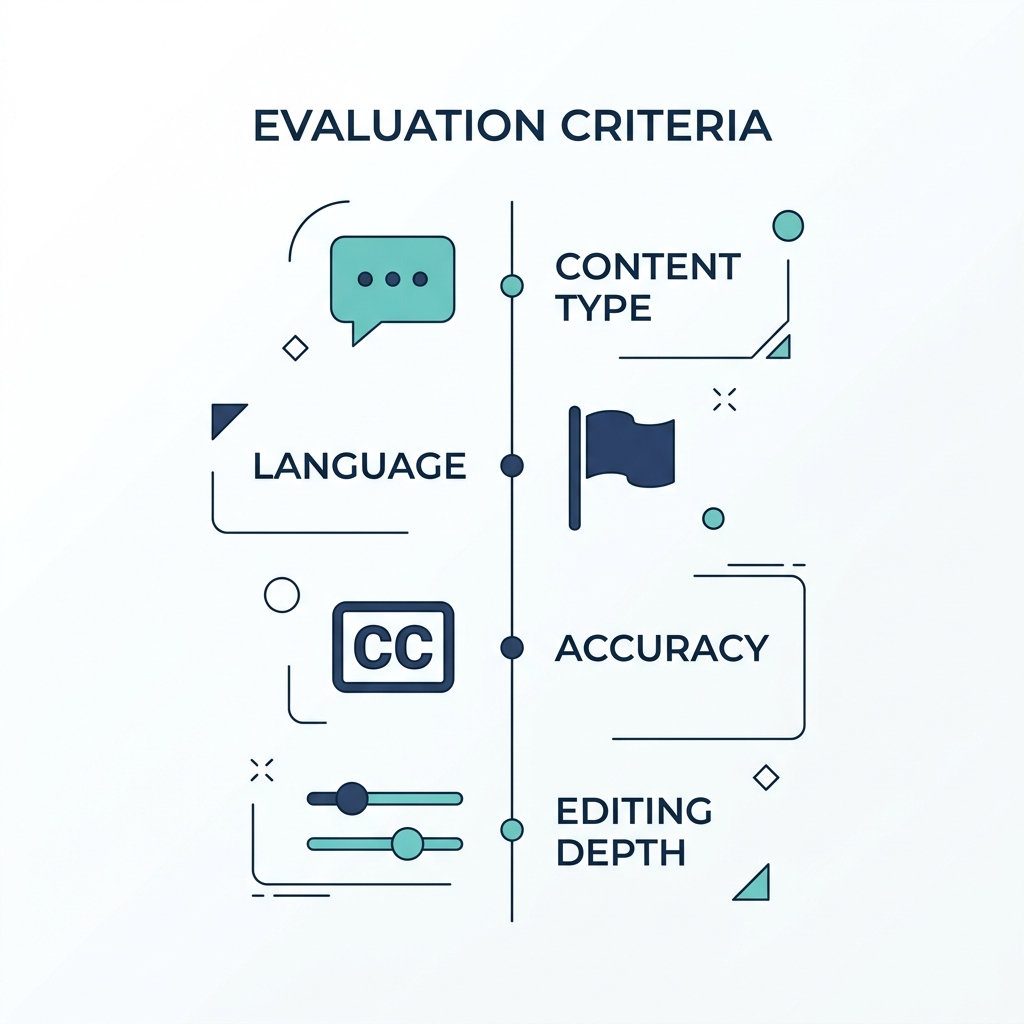
- Caption accuracy, content type fit, manual editing depth, and pricing model are the four criteria that separate tools in practice.
- AI clip output is typically about 80% right. The correction workflow matters as much as the initial selection.
How AI Clipping Technology Actually Works
Before you can evaluate a clipping AI tool, you need to understand what it is actually doing when it selects a moment from your video.
Most tools use one of three approaches:
-
Transcript analysis reads the words spoken in your video and identifies moments that contain complete thoughts, strong statements, or high-engagement patterns based on past performance data. This works well for dialogue-heavy content: podcasts, interviews, webinars, talking-head videos.
-
Energy and sentiment detection looks at audio amplitude, speech pace, and tonal cues to find moments with emotional intensity. This adds some value for non-dialogue content, but without words to anchor the selection, accuracy is inconsistent.
-
Multimodal models combine audio, visual, and text signals to identify clip-worthy moments. These are more capable in theory but vary widely in practice depending on the tool's implementation.
Here is a concrete example of why the method matters: a podcast episode processed by a transcript-based tool produces strong clip selection because the key moments live in the dialogue. That same tool applied to a gaming highlight reel produces weak results because there is no transcript to analyze. The AI has no text to work from, so it is guessing.
"Viral potential scoring" is a feature offered by several tools. It is a probabilistic signal based on past engagement patterns across content that performed well. It is directional guidance, not a guarantee. A high score does not mean a clip will perform for your specific audience on your specific platform.
For readers who want a deeper technical breakdown, how AI clip generators actually select moments is covered in more detail in a dedicated post. For now, knowing the method is enough to make a smarter buying decision.
What to Actually Look For When Evaluating a Clipping AI Tool
Marketing pages are not useful benchmarks. Here is the criteria that actually separates tools in practice.
Content type compatibility. Most tools perform best on dialogue-heavy content. If you create gaming videos, sports clips, or any content where the key moments are visual rather than verbal, ask specifically how a tool handles non-dialogue before committing. Do not assume multilingual or multimodal support means non-dialogue support.
Language and accent support. Most tools claim to support multiple languages. Accuracy outside standard English degrades significantly for many of them. Ask for a test clip in your language or accent, not a percentage from the tool's own marketing page.
Caption accuracy. Self-reported percentages like 97% or 99.99% are not comparable across tools because each uses a different benchmark methodology. A standard measure in speech-to-text is word error rate, which counts the percentage of words transcribed incorrectly. A tool reporting 99% accuracy may be measuring something entirely different from a tool reporting 97%. Test with a clip that includes natural speech patterns and fast dialogue before drawing conclusions. For more on how to evaluate caption accuracy claims, how to evaluate AI caption accuracy walks through this in detail.
Manual editing depth. AI clip selection is typically about 80% right. The question is how much effort it takes to fix the other 20%. A tool that locks you into its AI-selected output, or requires re-editing from scratch to adjust one clip, is more expensive in real time than its price tag suggests.
Pricing model transparency. Credit-based, subscription, and per-minute models produce very different real costs at scale. A creator publishing 20 podcast clips per month on a credit-based plan may pay less than the same creator on a subscription tier designed for higher volume. But the math only works if you understand how credits are consumed per minute of video. Calculate cost at your realistic publishing volume, not at the free tier.
How Major Tools Compare on Key Criteria
| Criteria | OpusClip | Munch | Submagic | Vidyo.ai |
|---|---|---|---|---|
| Content type fit | Transcript-based; strong for podcasts and interviews, weak for gaming and sports | Transcript-based; optimized for long-form repurposing, limited non-dialogue support | Transcript-based; strong for structured dialogue content | Transcript-based; strong for interviews and webinars, inconsistent for non-dialogue |
| Language support | Multiple languages; accuracy varies outside standard English | Multiple languages; accuracy degrades for accented and non-English speech | Multiple languages; accuracy outside standard English varies by language | Multiple languages; accuracy degradation outside standard English reported by users |
| Caption accuracy | Self-reported percentages vary; test with your own content | Self-reported accuracy; benchmark methodology not publicly standardized | Auto-caption generation included; accuracy depends on audio quality | Auto-captions included; accuracy varies with accent and audio clarity |
| Manual editing depth | Allows clip boundary adjustment; some re-editing required for complex corrections | Moderate editing controls; correction workflow requires manual review | Limited manual editing depth; corrections can require re-editing from scratch | Editing controls available; depth varies by plan tier |
| Pricing model | Credit-based and subscription tiers; free tier includes limited clips with watermark | Subscription-based; free tier restricts clip volume and resolution | Subscription-based; free tier includes limited exports | Credit-based and subscription options; free tier limits apply |
| Platform output | Export to major platforms; manual publishing required | Export with some scheduling support; multi-platform automation limited | Export focused; direct publishing to select platforms | Multi-platform export available; automation depth varies |
Note: Competitor tool characteristics reflect publicly observable behavior and commonly reported user experiences. Test any tool on your own content before committing.
Evaluation Criteria Reference
| Criteria | What to Look For | Why It Matters |
|---|---|---|
| Content type fit | Dialogue vs. non-dialogue support | Transcript-based tools underperform on gaming, sports, vlogs |
| Language support | Accuracy beyond standard English, not just a language count | Accuracy degrades significantly for accented or non-English speech |
| Caption accuracy | Benchmark methodology, not just a percentage claim | Self-reported numbers are not comparable across tools |
| Manual editing depth | Can you correct clips without re-editing from scratch? | AI output is often 80% right; correction ease determines real time cost |
| Pricing model | Credit-based, subscription, or per-minute; what the free tier actually covers | Free plan limits determine whether you can test the workflow before paying |
| Platform output | Number of platforms supported, level of publishing automation | Publishing across seven platforms from one workflow is a real operational difference |
Which Type of Creator Gets the Most Value From Clipping AI
AI clipping tools are not equally useful for every creator. Knowing where you fit saves money and frustration.
Podcasters and interview creators are the strongest use case for transcript-based AI clipping. The content is dialogue-heavy, the key moments are verbal, and caption output is typically clean. Minimal manual correction is needed when the source audio is clear.
Streamers and gaming creators are the weakest fit for most current tools. Energy detection helps to some degree, but without dialogue to anchor clip selection, results are inconsistent. Expect more manual review time and better results when you work with shorter source segments rather than full-length streams.
YouTubers repurposing tutorials or vlogs land in the middle. A tightly scripted tutorial clips well because the structure gives the AI clear signals. A rambling vlog or commentary video without clear chapter breaks produces weaker results.
E-commerce and product creators face a similar challenge to gaming creators: the key moments are visual rather than verbal. Transcript-based tools produce weak clip selection when the footage is a product demonstration without narration. Verify explicitly that a tool supports visual-first content before committing.
Brands and agencies managing multiple accounts face a different problem. Even a tool with solid clip selection creates a fragmented workflow: clip here, edit there, publish manually per platform. A platform that handles bulk creation, editing, and multi-platform distribution from one place removes the coordination overhead entirely.
| Creator Type | AI Clipping Fit | Reason |
|---|---|---|
| Podcasters and interview creators | Strong | Dialogue-heavy content, clean transcripts, high clip accuracy |
| Streamers and gaming creators | Weak | No transcript to anchor selection; inconsistent results |
| YouTubers (scripted tutorials) | Moderate | Structured content clips well; unscripted content does not |
| YouTubers (vlogs, commentary) | Weak to Moderate | Depends heavily on how structured the source video is |
| E-commerce and product creators | Weak to Moderate | Visual-first content lacks transcript signals; tool support varies significantly |
| Brands and agencies (multi-account) | Weak for clipping-only tools | Fragmented workflow across creation, editing, and publishing |
| High-volume creators | Weak for single-video tools | 5 to 10 minutes per video cannot keep pace with platform demand |
Where Clipping AI Falls Short (And What to Do About It)
Every tool's marketing page stops before this section. That is exactly why it is worth covering.
Non-English and accented speech. Accuracy degrades meaningfully outside standard English — a pattern documented in recent AI transcription research and widely observed across AI transcription tools. If your audience includes non-English speakers or creators with regional accents, test the tool on a representative clip before building your workflow around it.
Non-dialogue video. Transcript-based tools produce weak clip selection for gaming, sports, and visual-first content. Multimodal tools help but are not universally available or reliable. Verify support explicitly rather than assuming it.
Viral scoring as a guarantee. AI hook detection and viral scoring are directional signals. They reflect patterns from past content, not predictions about your specific audience. Use them as one input. Do not publish or skip a clip based on a score alone.
Correction overhead. When AI output needs fixing, the real question is how long the fix takes. A tool that requires re-editing the clip from scratch to adjust a single cut has a hidden time cost that compounds across every video at scale.
Free tier limitations. Most free plans restrict clip volume, output resolution, or publishing destinations in ways that are not obvious from the homepage. Understand the actual limits before building a workflow around a free plan. Discovering a resolution cap or a watermark requirement after two weeks of testing is a real workflow disruption.
Where AI Clipping Tools Stand: Honest Tradeoffs
Pros:
- Reduces time from raw footage to short clip for dialogue-heavy content
- Handles basic caption generation without manual transcription
- Useful for creators who produce consistent, structured long-form content
- Energy detection adds value for emotionally expressive content even without transcripts
- Free tiers on most tools provide enough to test before committing
Cons:
- Transcript-based tools underperform on non-dialogue content
- Self-reported accuracy percentages are not comparable and often misleading
- Viral scoring is a probabilistic signal, not a performance guarantee
- Most tools produce one clip at a time, creating a bottleneck at scale
- Free plans frequently restrict resolution, volume, or publishing destinations
- Correction overhead when AI output is wrong can eliminate time savings
How to Get the Most Out of a Clipping AI Tool
Even the best AI clipping tool produces better output when you give it better input.
Prepare your source video. Structured content with clear chapter breaks, consistent audio levels, and minimal background noise produces significantly better clip selection than unstructured raw footage. If your workflow allows it, recording with clip selection in mind (clear transitions, strong opening statements) reduces the manual correction pass afterward.
Match clip length to platform. A clip that performs on TikTok at under 60 seconds may not be the right cut for YouTube Shorts, where audiences expect slightly more context. Configure platform output specifically rather than publishing one cut everywhere.
Review AI output before publishing. Do not publish raw AI-selected clips without a spot-check pass. AI selection is directional, not final.
For creators and agencies who need volume, clipping-only tools leave the publishing workflow incomplete. You still need to edit, add branding, schedule, and distribute across platforms. Each step is a separate tool, a separate login, and a separate point of failure.
Pre-Publish Clip Review Checklist
Before scheduling any AI-selected clip, run through this:
- Does the clip start on a strong hook or does it begin mid-thought?
- Is the speaker fully in frame or does reframing cut off important context?
- Are captions accurate on the first and last lines of the clip?
- Is the clip length appropriate for the target platform?
- Does the clip make sense without the surrounding context of the full video?
- Have you applied your brand template or style before scheduling?
Ready to See What 300 Videos in 30 Minutes Looks Like?
Clipping AI is a useful starting point. For creators who need to publish at real scale, across multiple platforms, without losing their voice, clipping alone is not enough.
If you want to create new short videos in batches, explore GotReach content repurposing. For extracting highlights from a long recording, choose a tool that explicitly supports that task.