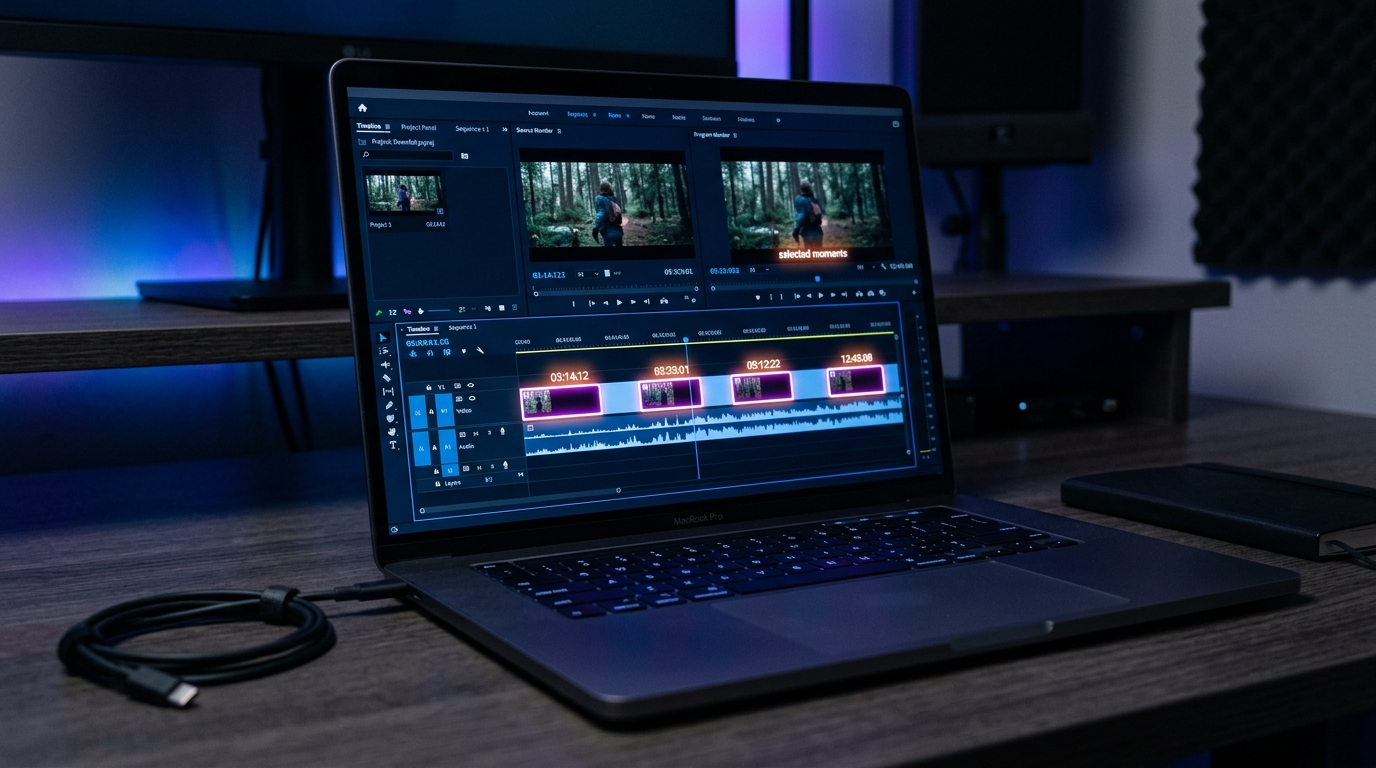
GotReach does not currently clip long-form videos. This article discusses the broader clipping category. For GotReach, use the planned short-form recording workflow, then add captions and schedule the finished videos.
How AI Clip Generators Actually Work — And How to Choose the Right One for Your Content
Five tool homepages. Five claims of "viral potential scoring" and "99% accuracy." Still no clear answer on which one to use or why.
This article fills that gap. It explains how AI clip selection actually works under the hood, surfaces the free plan details most tools bury in fine print, and maps specific tools to specific creator types — so you can make a real decision without bouncing between marketing pages.
Key Takeaways
- AI clip generators select moments using three layers: transcript parsing, speaker detection, and engagement signal weighting — not a human editor's judgment.
- Free plan limits vary significantly across tools: watermark policy, clip volume, and video length caps are the three details most likely to surprise you after sign-up.
- "Viral potential scoring" is a probability estimate based on trained patterns — the same video through two different tools can produce different clips because the scoring models differ.
- Source video quality directly affects AI output quality: clear audio and structured content with identifiable topic shifts produce noticeably better clips.
How AI Clip Generators Actually Select Moments From Your Video
Most tool pages describe clip selection as "AI magic" or skip the mechanism entirely. Here is what is actually happening.
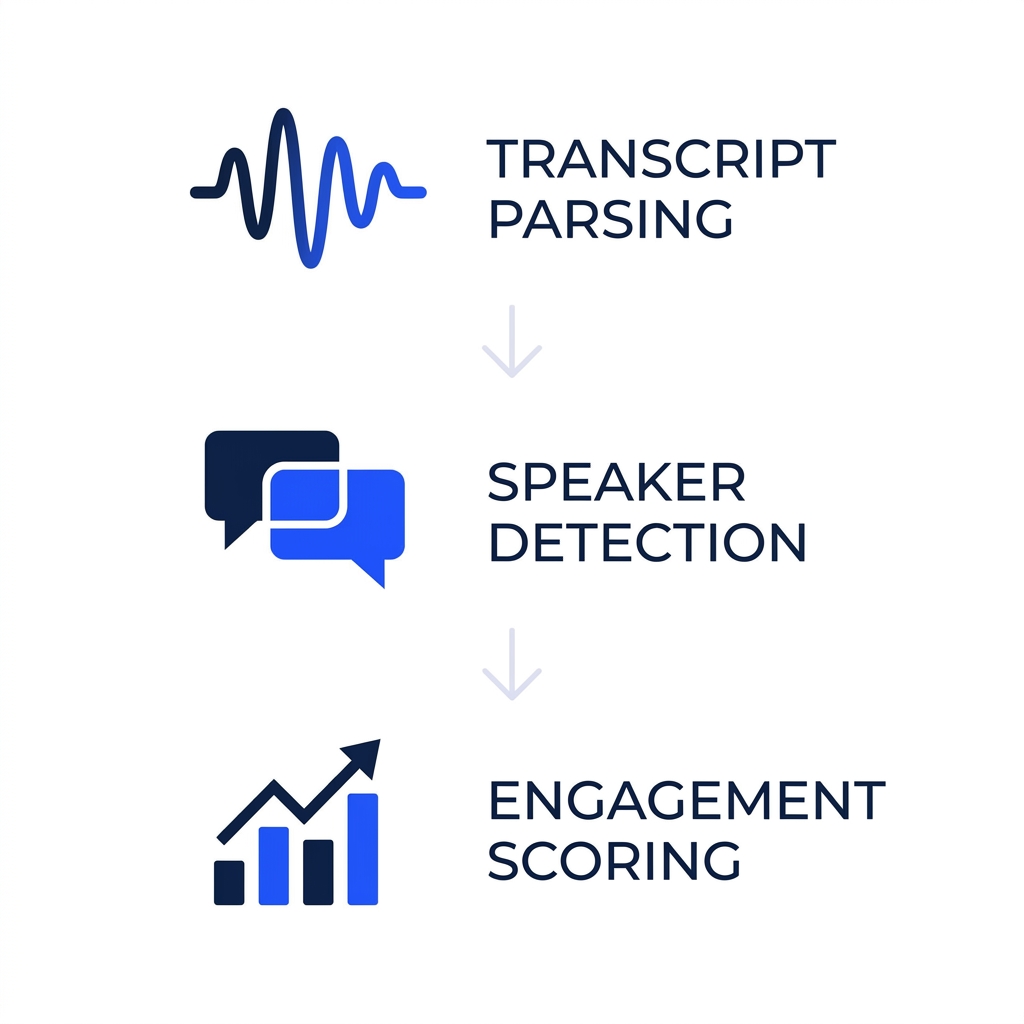
Transcript parsing is the first layer. The tool converts your video's audio into a timestamped transcript and identifies where sentences begin and end, where speakers pause, and where topic shifts occur. This is the foundation everything else builds on. A tool cannot find a strong clip if it cannot accurately parse what was said and when.
Speaker detection is the second layer. The system identifies distinct voices and, in many cases, tracks which speaker is dominant in a given window. For interview-style or co-hosted content, this allows the tool to isolate individual speakers rather than cutting in the middle of a sentence. For solo creators, it simplifies the segmentation problem considerably.
Engagement signal weighting is the third layer. Trained models assign a score to segments based on patterns learned from previous high-performing short-form content: moments where a clear point lands, a topic shifts sharply, a question gets answered directly, or energy in the audio increases. This is what tools refer to when they say "viral potential scoring" — and it is worth being precise about what that phrase means.
Viral potential scoring is a probability estimate, not a guarantee. The model has seen patterns in clips that performed well on short-form feeds and flags segments in your video that match those patterns. Run the same video through two tools with different training data and different weighting models, and you will get different clips. Neither is wrong — they reflect different definitions of what "high-attention" looks like. Research on how machine learning models process and rank video content based on multimodal signals helps explain why these outputs diverge even on identical source material.
What source conditions improve AI output:
- Clear, consistent audio with minimal background noise
- Defined speaker segments — one speaker per clip window works best
- Structured content with identifiable topic shifts or clear argument points
- Source video long enough to give the model meaningful extraction opportunities (generally 15 minutes or more)
Where AI clip selection reliably falls short:
- Heavy background noise or overlapping speakers
- Humor that depends on cultural context or timing the model was not trained on
- Highly technical or niche vocabulary the model has not seen at scale
- Unstructured content with no clear topic arc — a 45-minute livestream with no defined segments is a much harder input than a 60-minute podcast with clear chapter breaks
A one-hour podcast with two clearly identified speakers and structured topic segments is close to an ideal source video. Understanding this distinction helps you use any tool more effectively rather than being disappointed when it underperforms on difficult input.
For a deeper look at how caption accuracy specifically is affected by these same conditions, how to evaluate caption accuracy when choosing a tool covers the evaluation framework in full.
How Leading AI Clip Generator Tools Compare — Side by Side
Tool homepages do not compare themselves to competitors. That means you have to visit five separate pages, reconcile incompatible marketing claims, and try to figure out which free plan is actually usable for testing. The table below does that work in one place, using the same criteria for every tool.
| Tool | Best for | Free plan clips included | Watermark on free plan | Caption accuracy note | Platform outputs | Starting paid price | Notable limitation |
|---|---|---|---|---|---|---|---|
| OpusClip | Podcasters and talking-head content | Limited clips per month (cap varies by plan) | Yes | Vendor-stated; strong on structured speech | YouTube Shorts, TikTok, Reels | ~$15/mo | One video at a time; watermark on free tier |
| Spikes Studio | Gaming streamers and reaction content | Limited credits; video length capped | Yes | Vendor-stated; tuned for gaming audio cues | Twitch clips, YouTube Shorts, TikTok | ~$19/mo | Credit-based model can run out quickly |
| WayinVideo | Solo creators and short-form experimenters | Limited clips; resolution capped | Yes | Vendor-stated | TikTok, Reels, Shorts | ~$16/mo | Fewer customization controls for brand use |
Caption accuracy figures for OpusClip, Spikes Studio, and WayinVideo are vendor-stated and reflect ideal testing conditions. Real-world accuracy varies with audio quality, accents, and content type.
Best-for summary after the table:
OpusClip is a reasonable starting point for solo podcasters who publish one or two clips per week and want transcript-based selection on talking-head content. The single-video workflow becomes a ceiling quickly at higher volume.
Spikes Studio is better suited for gaming and streaming creators where audio-cue detection (reactions, volume spikes) matters more than transcript logic. Credit-based limits are the friction point to watch.
WayinVideo fits individual creators experimenting with short-form repurposing who do not need brand controls or multi-account publishing.
For readers who want more granular tool-vs-tool detail beyond the criteria covered here, the deeper comparison of specific clip maker tools goes further on feature-level differences.
Which AI Clip Generator Fits Your Content Type
Persona sections on tool homepages tend to be decorative — the same generic benefits appear under every tab, with different stock photos. Real differentiation means acknowledging that a podcaster and a gaming streamer have fundamentally different clip selection needs.
Podcasters: The critical capability is transcript-based clip finding and accurate speaker segmentation. You need a tool that can distinguish between co-hosts, identify topic transitions, and handle long audio-led content without falling apart at the 45-minute mark. Clip selection based on what was said matters more than visual cues, because talking-head content does not have the visual variation that helps other models.
Streamers and gaming creators: Highlight detection based on audio cues — sudden volume changes, reaction peaks, in-game event triggers — matters more than transcript logic here. Gaming content often has dense, overlapping audio that makes transcript parsing unreliable. Clip length norms and platform-specific aspect ratios for short-form gaming content are the key evaluation criteria. Look for tools that handle this audio complexity rather than defaulting to tools tuned for interview content.
Long-form YouTubers: AI selection should be the starting point, not the final decision. The workflow expectation here should be: AI selects, human reviews and overrides. Tools that make the review step fast and low-friction — clear approval interfaces, easy caption editing, quick clip trimming — are more valuable than tools that promise full automation but make the edit step cumbersome. Full automation on long-form unscripted content is not where AI clip generation is today.
Creator Type to Tool Priority Grid
| Creator Type | Most Important Capability | Secondary Priority | Volume Ceiling Risk |
|---|---|---|---|
| Podcaster | Transcript-based clip finding, speaker segmentation | Caption accuracy and editing | Low to moderate |
| Streamer / Gamer | Audio-cue highlight detection, gaming clip norms | Aspect ratio handling for short-form | Moderate |
| Brand / Business Team | Batch processing, brand templates, multi-account | Team workflow and scheduling | High |
| Long-form YouTuber | Fast human review and override interface | Caption customization | Low to moderate |
What to Realistically Expect From AI-Generated Clips
Vendor accuracy claims are stated under ideal conditions. When a tool page says "99.99% caption accuracy," that figure reflects clean studio audio, a single native-English speaker, and minimal background noise. Accents, overlapping speakers, background noise, and technical vocabulary all reduce accuracy in real-world conditions — sometimes substantially. Treat vendor-stated percentages as a ceiling, not a typical result.
When AI clip selection is good enough to publish with light review: Structured interview content, defined-topic podcast episodes, and webinar recordings with clear speaker transitions are the strongest candidates. The AI has enough transcript structure and speaker definition to make reliable selections. A quick review pass to confirm the start and end points is usually enough.
When manual curation is worth the time: Unscripted livestreams, reaction-heavy gaming content, and videos with no defined topic arc typically need more human override. The AI will surface clips, but the selection logic is working with less signal — you should expect to reject a higher proportion.
Where the AI-to-manual gap is smallest: Caption formatting and aspect ratio handling are where AI-generated clips are most competitive with manually edited clips. These are rule-based operations that AI handles consistently.
Where the gap is still real: Timing, pacing, and emotional resonance decisions that depend on cultural or contextual knowledge the model does not have. A joke that lands because of the three-second pause before it, or a moment that is significant only because of what happened earlier in the video — these are still human-editor territory.
Before You Upload: How to Set Your AI Clip Generator Up for Better Results
- Clear, consistent audio with minimal background noise throughout the recording
- Defined speaker segments — one speaker per clip window works best for most tools
- Structured content with identifiable topic shifts or clear argument points, not open-ended meandering
- Source video is at least 15 minutes long to give the model enough material for meaningful extraction
- Heavy technical vocabulary has been noted so you can prioritize manual review on those segments
- AI selections are reviewed before publishing — auto-post only after you have calibrated to what the tool does well on your specific content type
For a full framework on evaluating caption quality across tools before committing to a plan, how to evaluate caption accuracy when choosing a tool covers the methodology in depth.
How to Generate Your First AI Clips — and Scale From There
- Upload or link your source video. Most tools accept direct file upload or a URL from YouTube or another hosted platform. For a first run, use a structured long-form video — a podcast episode or recorded interview — where the transcript logic has the most to work with.
- Set clip parameters. Define the target clip length (typically 30 to 90 seconds for short-form feeds), the tone or content category if the tool supports it, and the platform you are publishing to. Platform target affects aspect ratio output — vertical for TikTok and Reels, horizontal or square for YouTube.
- Review AI-selected clips and override or approve. This step is not optional on a first run. The review pass teaches you what the tool does well on your specific content type. Approve the clips that work, reject or trim the ones that do not, and note the pattern — it calibrates your expectations for future uploads.
- Add or adjust auto-captions if needed. Check for errors on proper nouns, technical terms, and any segment with background noise. Most tools allow caption style and font customization at this stage. Platform-specific format requirements are worth confirming before finalizing aspect ratios and caption positioning.
The first run is a calibration step. By the third or fourth upload, you will know which content types the tool handles reliably on your material and where you want to keep the human review step tight.
If you want to create new short videos in batches, explore GotReach content repurposing. For extracting highlights from a long recording, choose a tool that explicitly supports that task.